
Sign solutions / A buyer’s guide
Digital Signs & LED Displays
Electronic Message Centers (EMCs)

One sign. New messages when you need them. Plan the display, structure and content system together.
Category-level comparison, not a quote. Display size, resolution, faces, structure, communications, electrical work and access change the scope.
What are digital signs & led displays?
Electronic Message Centers (often called digital signs or LED displays) are programmable sign systems used to change messages electronically. An EMC is an exterior LED display built for content that changes. It can be integrated into a monument or pylon sign, or supported as its own sign assembly. Display dimensions, pixel pitch, viewing distance, brightness control, communications, structure and the operating plan all affect whether the result is readable and useful.
The display / the sign around it
Where should the message live?
An EMC rarely works alone. Start with the site and the fixed identity, then decide how the display belongs in the sign structure and what people need to read.
Monument integration
Changing messages at entrance level
The display sits within a low, grounded sign that can also carry permanent property or organization identification.
- Best use
- Entrances where a monument suits the site and viewers can read changing messages from the intended approach.
- Plan together
- Coordinate display opening, fixed identity, base, ventilation, service access, foundation and electrical provisions as one assembly.
Pylon integration
Messages elevated for roadside visibility
The EMC becomes one part of an elevated sign, usually beneath or beside a fixed brand panel.
- Best use
- Roadside properties that need the sign above nearby obstructions and have an approved pylon structure.
- Plan together
- Display dimensions and weight affect the cabinet, supports, foundation, electrical work and installation plan.
New assembly or retrofit
Define what can actually be reused
A display may be designed into a new sign or evaluated for an existing structure and opening.
- Best use
- A new sign package, or an existing cabinet and support that can be documented and reviewed for the proposed display.
- Verify first
- Photographs alone do not establish structural capacity, usable opening dimensions, power or service access.
Readability / hardware decisions
Mounting options
A useful comparison needs more than the outside cabinet dimensions. Put display area, pixel pitch, matrix, faces, brightness behavior, viewing angle and control system beside the intended reading distance.
Display area & message space
The active display dimensions determine how much content can appear at a useful scale.
A larger screen does not fix an overloaded message. Message length, character height and approach time still matter.
Draft representative messages before settling on the display opening.
Pixel pitch & matrix
Pixel pitch describes spacing between LEDs; the pixel matrix describes how many pixels make up the image area.
Closer viewing and detailed graphics generally demand a different resolution decision than large text viewed from farther away.
Compare pitch, matrix and viewing distance together rather than treating one number as a universal quality score.
One face or two
A single-sided display addresses one direction. A double-sided display carries content toward two approaches.
A second face changes equipment, weight, structure, power and service scope.
Map the actual traffic directions and sight lines before specifying faces.
Brightness & viewing angle
Exterior displays need readable output across changing daylight. Vantage’s source specification includes automatic dimming with manual backup and defined viewing angles.
Maximum brightness alone does not describe nighttime comfort, off-axis viewing or local requirements.
Confirm brightness controls and viewing geometry for the project.
The details that change the result
The content plan belongs in the sign plan.
What changes—and who changes it?
Decide which messages need frequent updates, who approves them and who operates the software. A display has more value when content ownership is clear before installation.
How will the sign communicate?
Vantage’s source specification identifies cellular, wireless and direct connection options. The appropriate method depends on the site, system and operating needs; confirm signal, network responsibility and ongoing service before selection.
Design for a passing viewer
Use concise messages, strong contrast and a readable hierarchy. Test realistic content at the expected distance rather than judging the screen from a close-up rendering.
Budget / complete scope
What do digital signs & led displays cost?
Compare display dimensions, viewing distance, content needs and support structure. Include power, connectivity and site access in the estimate.
EMC in a monument sign
A programmable display integrated with low fixed identification and a grounded base.
- Display size, pitch and number of faces
- Fixed sign, base, structure and foundation
- Power, communications, approvals and installation
Request a project-specific estimate
EMC in a pylon sign
Changing messages incorporated into elevated roadside identification.
- Display and fixed cabinet relationship
- Pylon structure, supports and foundation
- Electrical, connectivity, permitting and lifting access
Request a project-specific estimate
Replacement display
A new display evaluated for an existing sign opening and support system.
- Existing opening and structure documentation
- Display, controller and communications
- Removal, adaptation, electrical work and access
Request a project-specific estimate
Confirm the included work and exclusions when comparing estimates.
Commercial Sign Pricing GuideCompare like with like
What changes the price?
These are the details to put beside a price when you compare proposals.
- Display size, pitch & matrix
Active display dimensions and resolution drive the equipment scope. Compare the same viewing objective and full pixel matrix—not just outside cabinet size.
What will viewers read, and from how far away?
- Number of faces
One or two display faces change equipment quantity, total weight, power and structure.
Which approaches need changing messages?
- Structure & sign integration
A monument, pylon or existing sign creates a different cabinet, support, foundation and finish scope.
Is the supporting sign new, reused or modified?
- Controls, communications & software
Controller hardware, cellular service, wireless or direct connections and software access need clear ownership and ongoing-cost assumptions.
Who will operate the sign and maintain connectivity?
- Electrical, approvals & site work
Power routing, listing, inspections, permit review and any engineering must be defined for the installed assembly.
Which electrical and approval responsibilities are included?
- Removal, access & serviceability
Existing equipment removal, crane or bucket access, cabinet adaptation and future component access affect installation and lifecycle scope.
Can the display be installed and serviced safely at this location?
Real Vantage work
Changing messages in a complete sign system.
Harris Jeweler and Victory Church show EMCs integrated into two different forms of permanent roadside identification.

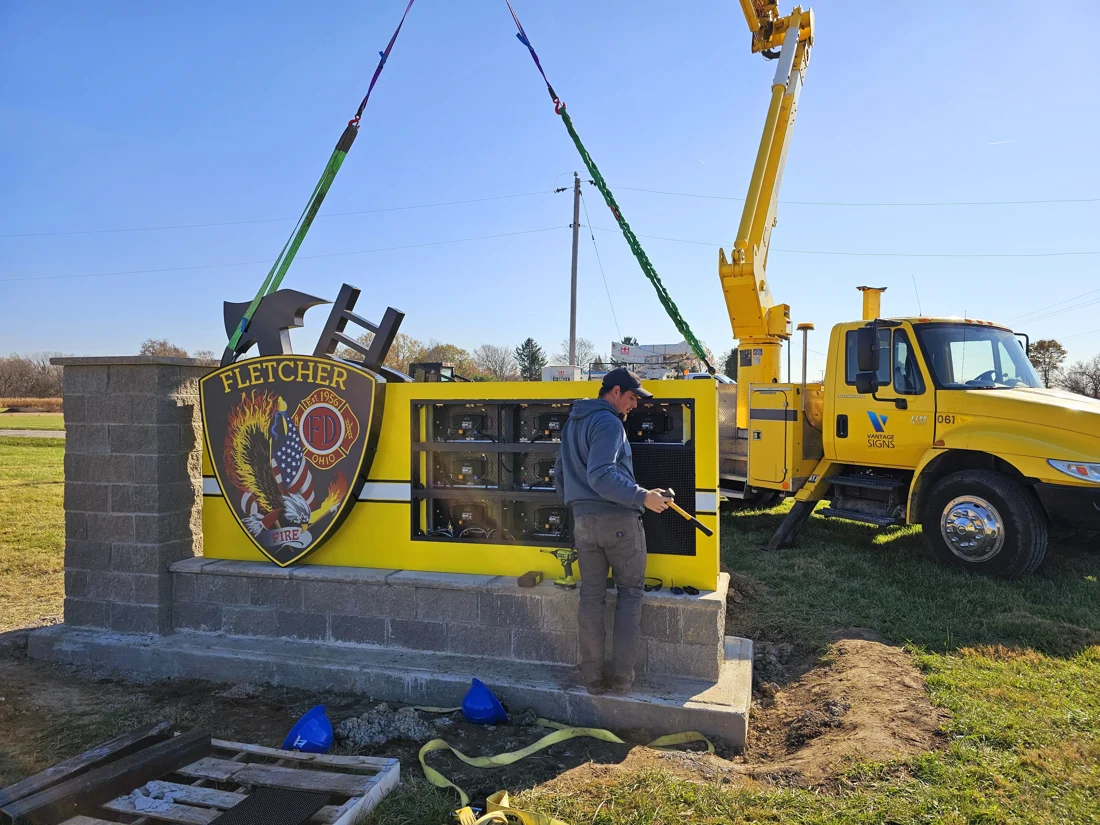
Harris Jeweler
Roadside identification and changing messages, with the installation shown alongside the finished result.
- PYLON + EMC
- Roadside identification paired with changing messages
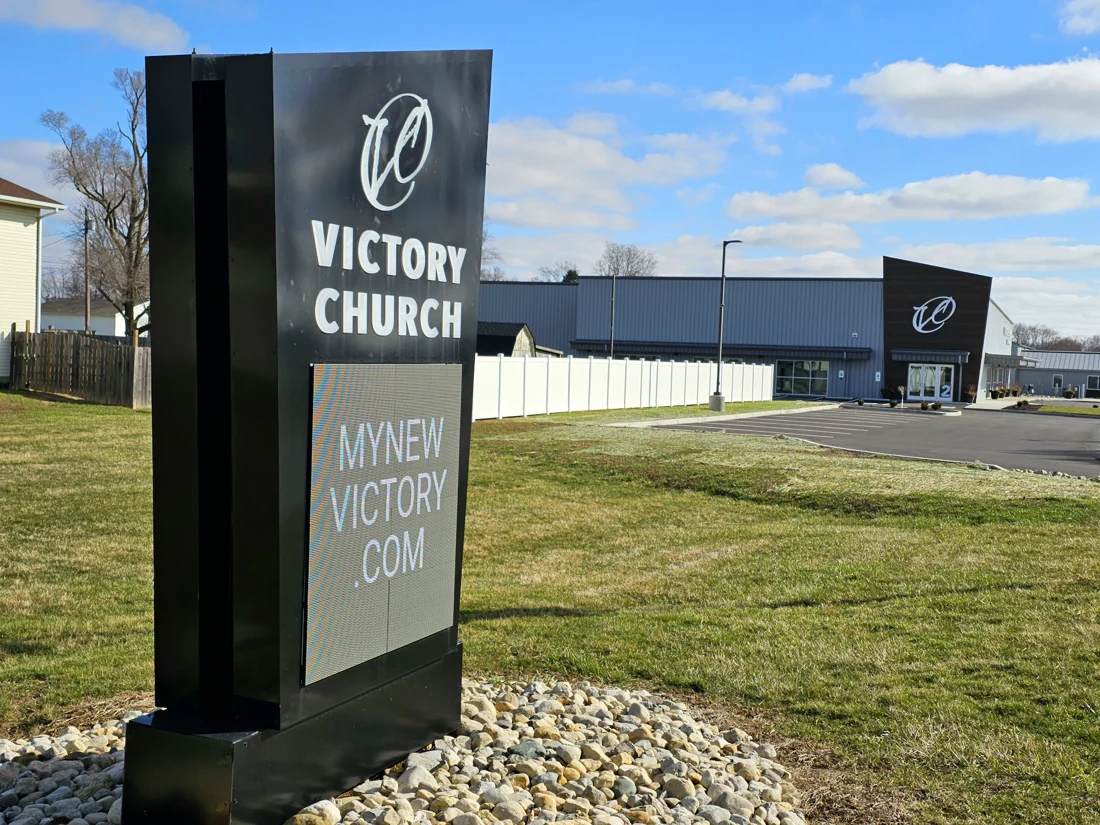
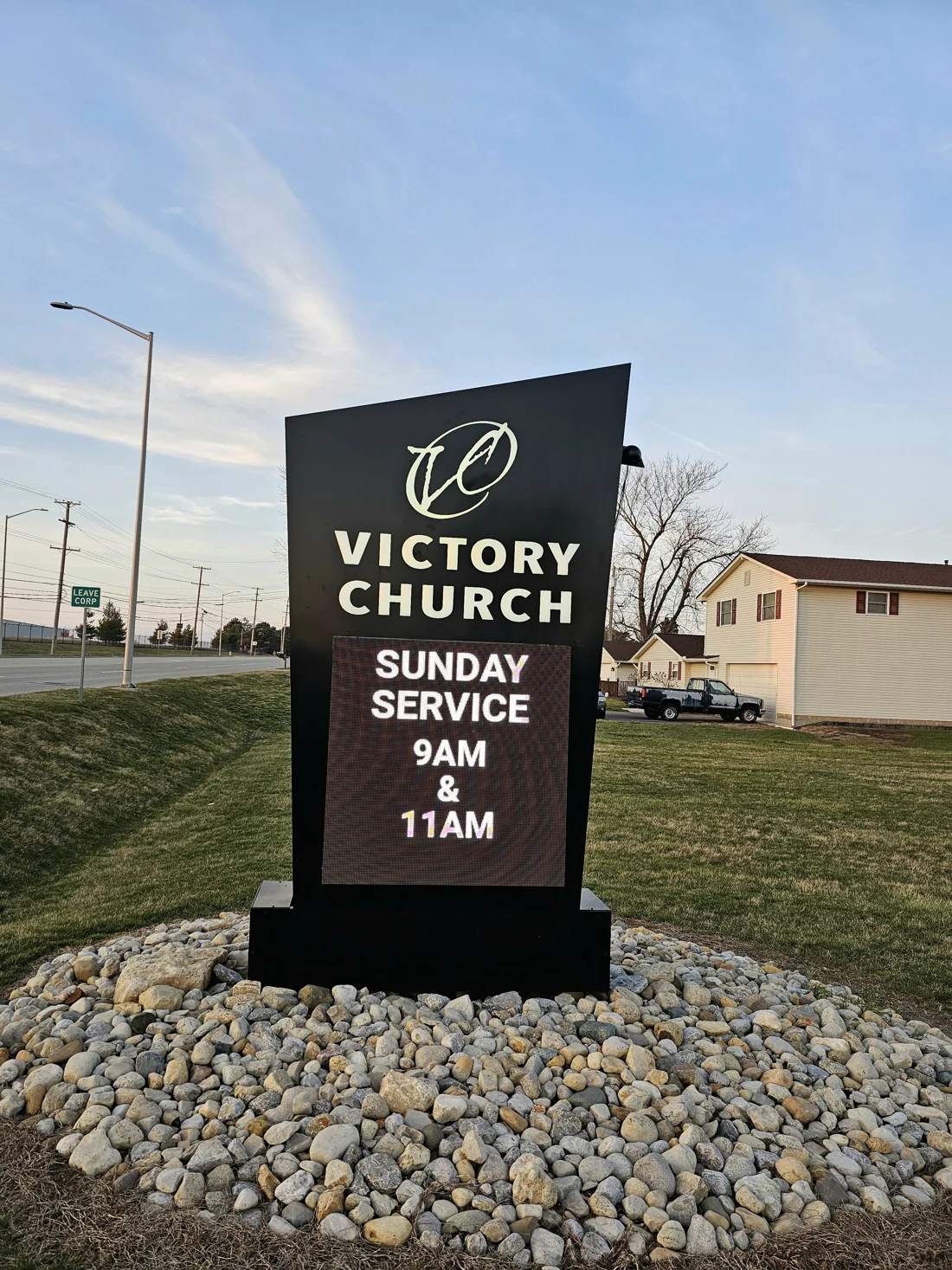
Victory Church
A low entrance sign combines permanent Victory Church identification with a changing electronic message area.
- FIXED ID + EMC
- Permanent identity with changing messages
- DAY + NIGHT
- Documented in two viewing conditions
From design to install
Project steps
Define the messages
Identify representative content, update frequency, viewing distance and the person responsible for the display.
Survey the sign & site
Document approaches, dimensions, existing structure, available power, connectivity and equipment access.
Specify the system
Coordinate display area, pitch, matrix, faces, brightness controls, mounting and communications.
Plan approvals
Confirm the engineering, permitting, electrical and inspection scope for the complete installed assembly.
Install & support
Coordinate removal or new construction, lifting, connections, commissioning, operator handoff and future service access.
Considering your options?
Other sign options
Banners & Panels
Consider it whenA short-term announcement or event does not justify a permanent changing-message system.
Temporary graphics address a defined campaign or event without adding display hardware, connectivity and ongoing content operation.
Cabinet Signs / Light Boxes
Consider it whenThe message stays fixed and a complete illuminated sign face is enough.
A cabinet sign provides permanent graphics without the content system, connectivity and operating plan of an EMC.
Often paired with
Monument Signs Create a grounded entrance identity around the display.
Pylon Signs Elevate changing messages for roadside approaches.
Wayfinding Guide visitors after the message brings them onto the property.
Before you start
Questions
What pixel pitch do we need?
Pixel pitch should be evaluated with display size, content detail and viewing distance. A closer viewer or more detailed imagery may need a different resolution than large, simple text seen from farther away. Compare representative content on the proposed matrix.
Should the display be single- or double-sided?
Use the site approaches to decide. One face serves one primary direction; two faces can serve opposing traffic but change equipment, structure, power and cost.
How do messages get to the sign?
Control systems may use cellular, wireless or direct connections. Confirm what works at the site, who owns the account or network access, which software is supplied and what ongoing services are required.
Can an EMC be added to an existing sign?
Sometimes, but the opening, cabinet, supports, foundation, power and access must be reviewed for the proposed display. Do not assume an existing message panel can accept an EMC without structural and electrical coordination.
What should we confirm about brightness and local requirements?
Confirm automatic dimming behavior, nighttime settings, viewing angles and the requirements that apply to the site. The sign design, content operation and approval scope should be reviewed together.
What happens after installation?
Plan operator access, software handoff, content responsibilities and future component service. Keep cabinet and equipment access in the design so troubleshooting does not become an afterthought.
Let’s plan the message and the sign around it.
Send the site address, approach photos, sample messages and any existing sign information. Include who will manage content and whether one or two traffic directions need the display.
Start a project